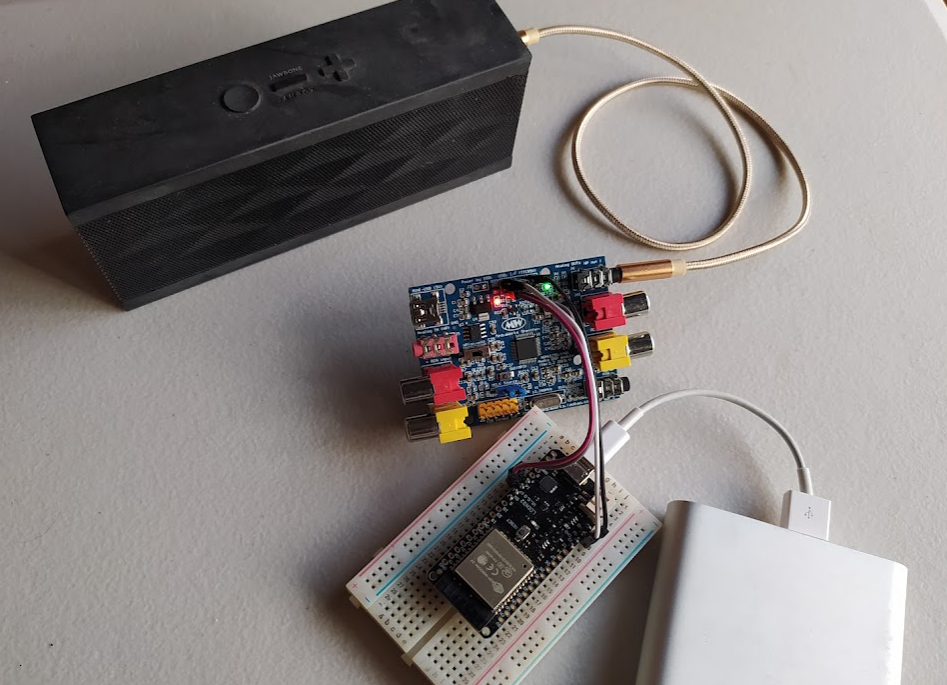
Repository files navigation SigmaStudio TCPIP Channel Tools Box
This is a Python package, with which you can:
Remotely control SigmaDSP through TCP/IP channel.
With SigmaStudio or Python programs.
Use ESP32 / PC as a client.
Use ESP32 / PC as the server.
Can also read data from SigmaDSP over TCP/IP channel (with Python programs).
Can read/write EEPROM .
I was playing with SigmaDSP (ADAU1701/ADAU1401) , and often need to switch between USBi and FTDI FT232H .
With SigmaDSP TCP/IP channel, SigmaStudio and Python programs can share the same means to access SigmaDSP, no more switching.
Remote access is always a huge advantage:
Can control any SigmaDSP no matter where it is, as long as it's TCP/IP reachable. Very convenient for maintenance.
Configurations can be modified and deployed over multiple SigmaDSP devices on-demand, with just a few lines of code.
No need to squeeze huge code into a tiny MCU (like ESP32), parameters can be calculated remotely and deployed onto devices.
UI controls (like push buttons) no longer need to be "on-device", you can control SigmaDSP with just your phone.
Coverage of SigmaDSP's memory space:
Can access data of program RAM, parameter RAM, and also EEPROM , just assign the address to read/write.
Can also read data from SigmaDSP
Not only writing data to, but can also read data from SigmaDSP via TCP/IP channel (with Python programs).
Support "reset" command:
With ESP32 as the server, SigmaDSP and ESP32 itself will be reset upon receiving the "reset" command.
A client can be:
A PC running SigmaStudio
A PC running Python programs
An ESP32 running MicroPython
A smart phone
A server can be:
A PC with Python environment
An ESP32 with MicroPython environment
Using its I2C port to access SigmaDSP.
Portability:
The same package can be used on PC / ESP32 without modification required.
For using ESP32 as the server:
Download TCPi_uPy.rar .
Unzip it and edit the following items in file config.py:
LED, on your ESP32 module:
ON_BOARD_LED_PIN_NO, ON_BOARD_LED_HIGH_IS_ON
I2C connection:
I2C_SCL_PIN_ID, I2C_SDA_PIN_ID: with which pins the ESP32 should use to connect with ADAU1701.
Avoid some pins of ESP32, see ESP32 GPIO guide .
WiFi:
Upload all files to ESP32.
In ESP32's terminal interface, type import test_tcpi_upy, it will show its IP when the WiFi connection is established.
The default port number is 8086.
You can write import test_tcpi_upy into file main.py, so it will run as a Sigma TCP/IP channel server after each boot.
Follow AD's instructions for connecting the server with SigmaStudio.
Please also see here and here for other examples.
ADAU1701
ADAU1702
ADAU1401
ADAU1401A
Not high speed, obvious latency.
Need more memory to accommodate the data SigmaStudio uploads all at once. ESP32 with 8MB PSRAM is preferred.
About
SigmaStudio TCPIP Channel Tools Box.
Resources
License
Stars
Watchers
Forks
Languages
Jupyter Notebook
99.4%
Python
0.6%
You can’t perform that action at this time.