
Demo code for my workshop on Behavior Trees in games.
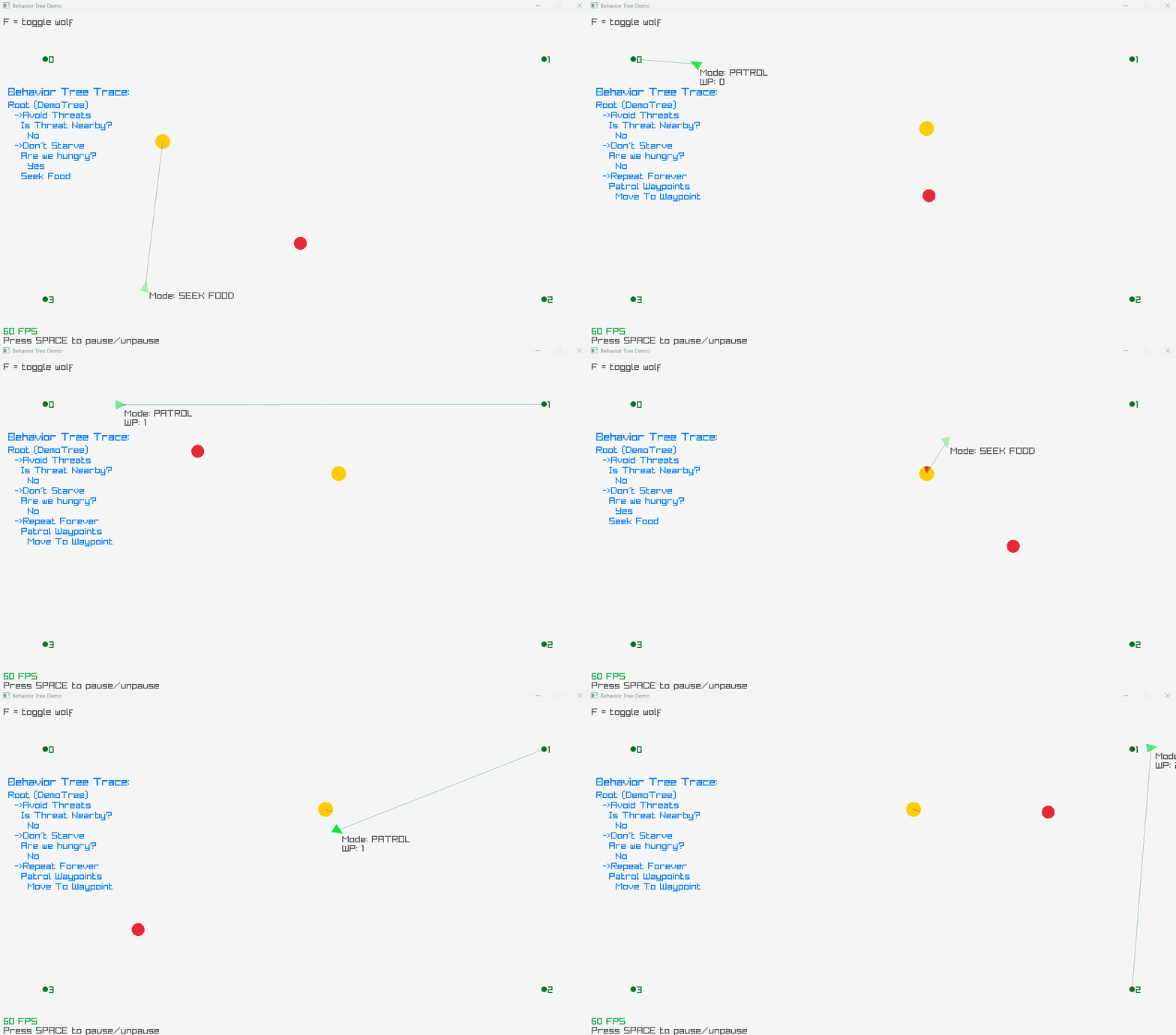
In this workshop you will work with a small but complete AI system implemented using a Behavior Tree. You are not expected to understand the implementation in advance.
Before the workshop, you are expected to have read the chapters on Behavior Trees in the course literature.
- AI for Games (Ian Millington), 3rd Edition, Chapter 5
- Artificial Intelligence and Games (Yannakakis and Togelius), Chapter 2.2.2
Your task during the workshop is to observe, trace, and reason about how the AI actually behaves, based on running code - not diagrams or theory.
The goal is to build a correct mental model of how this AI works over time.
-
common.hppFoundational configuration, math utilities, and Raylib helpers used across the project. -
window.hppAn RAII wrapper for Raylib that manages the window lifecycle -
entity.hppDefines the agent data model, including physics state (position, velocity), rendering, and individual AI memory. -
world.hppManages global environmental state, such as waypoints, hazards (the Wolf), and resources (Food). -
steering.hppStateless physics helpers that calculate steering forces (such as; seek, flee) to drive entity movement. -
behavior-tree.hppThe generic AI engine. Defines the core architecture: theNodeinterface, Node-composites (Selector,Sequence), and the executionContext. -
game-ai.hppThe game-specific logic. Implements the concrete Leaf nodes (conditions/actions) and assembles the specific Behavior Tree used in the demo. -
main.cppThe application entry point. Initializes the systems and executes the primary game loop.
- Clone the repository, build, and run the application.
- Run the program in a debugger.
- Step through execution frame-by-frame and follow how
tick()propagates through the tree. The instructor will demonstrate this process for the class.
Observe:
- Which nodes are evaluated every frame?
- Which nodes return
Running,Success, orFailure? - Which branches are skipped as a result?
You are encouraged to add temporary debug output (logging, breakpoints, overlays) to help you understand what is happening.
Create a visual diagram on the whiteboard that shows the logical structure of the demo Behavior Tree.
The diagram should show:
- the root node
- the main branches
- the type of each node
Take inspiration by the diagrams in your course literature for how to structure this.
The demo tree uses a root selector node.
Edit the selector; move the patrol branch in front of the other branches.
Run the demo again and observe what changes.
Answer:
- Which behavior now takes priority?
- What behavior stops happening?
- Why does changing branch order matter in a selector?
Implement a new leaf node called StandStill.
The behavior:
- the entity stops moving
- velocity becomes zero
- the debug state should show that the entity is standing still
Add the new node to the Behavior Tree so that it can be selected when appropriate.
Important:
StandStill should not break fleeing or food-seeking behavior. Think carefully about where in the root selector it belongs, and what it should return.
Extend the patrol behavior so that after the entity has visited all waypoints, it continues patrolling in reverse order.
This means the entity should:
- visit all waypoints in the normal order
- then reverse direction
- continue patrolling through the same waypoints in the opposite order
Think about:
- where this state should live
- how waypoint advancement should change
- how this interacts with the existing patrol logic
Extend the Behavior Tree so that when the agent is not under attack and not hungry, it can choose between several low-priority behaviors at random.
Possible idle behaviors include:
- StandStill
- Patrol
- Wander
- (any other steering behavior you explored in the boids workshop)
The key requirement is that once a behavior has been selected, it should continue running for a while. The AI should not randomly switch to a different behavior on every tick.
Think about how the Behavior Tree can:
- choose between multiple behaviors
- remember which behavior is currently active
- allow that behavior to run until it naturally finishes
Important: Do not introduce delays, sleeps, or external timers. All behavior should still be driven entirely by the Behavior Tree tick() process.