 |
|---|
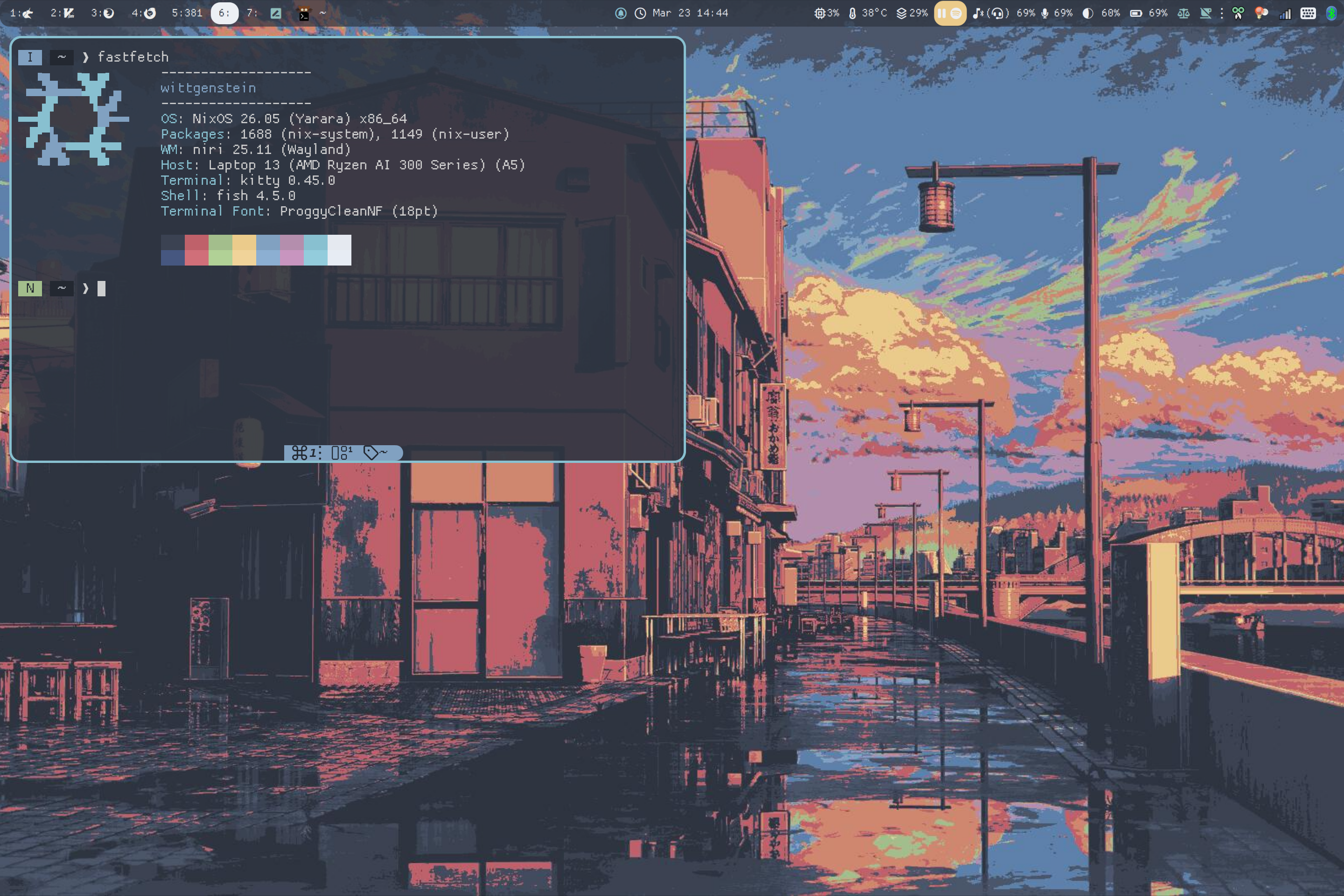
wittgenstein (Framework 13, NixOS, Niri) |
 |
lightsaber (old M1 Macbook Air, Aerospace) |
Note
I've recently moved to Nix (NixOS, nix-darwin, home-manager, and Nixvim) and ported my configs over to my Nix conf repository.
I will still continue to sync major updates back to this repository!
These are dotfiles for my Linux (Fedora) and macOS systems. The tools in this repository are primarily open-source utilities for development.
Important
Read the code before using them!
If you are not me, skip this section and use HTTPS cloning.
# Change the hostname
# macOS:
HOSTNAME=<my computer>; sudo scutil --set ComputerName "$HOSTNAME" && sudo scutil --set HostName "$HOSTNAME"
# Linux:
hostnamectl set-hostname --static <my computer>

ssh-keygen -t ed25519 -C "Theo's ED25519 key @ $(hostname) for GitHub Auth"
# Followed by RET to accept the default path + passphrase
# Add the public key to GitHub Settings -> SSH and GPG Keys
cat ~/.ssh/id_ed25519.pub

# Linux: my Fish config automatically launches keychain and ssh-agent
# macOS: execute the following commands
eval "$(ssh-agent -s)"
ssh-add --apple-use-keychain ~/.ssh/id_ed25519
# Did you know that the Heredoc End-of-Transmission delimiter could be anything?
# Double quote means no parameter expansion
cat <<"HI" >> ~/.ssh/config
Host github.com
    IdentityFile ~/.ssh/id_ed25519
    AddKeysToAgent yes
    UseKeychain yes
HI# Install dev tools (including Git)
xcode-select --install
/bin/bash -c "$(curl -fsSL https://raw.githubusercontent.com/Homebrew/install/HEAD/install.sh)"
brew analytics off
cd $HOME
git clone git@github.com:theopn/dotfiles.git
cd $HOME/dotfiles
# Install formulae
brew bundle --file ./homebrew/Brewfile_core
brew bundle --file ./homebrew/Brewfile_optional
# Install Nerd Fonts
brew install --cask font-fantasque-sans-mono-nerd-font font-proggy-clean-tt-nerd-font
# Deploy dotfiles using Stow
./bootstrap.sh
# macOS settings
./misc/macos-settings.sh# Install packages
sudo dnf upgrade
# TODO: Make a DNF installation script
sudo dnf install git keychain python3-pip stow vim zsh
cd $HOME
git clone git@github.com:theopn/dotfiles.git
cd $HOME/dotfiles
# Move Fedora default bashrc
mv ~/.bashrc ~/.bashrc-fedora
# Deploy dotfiles using Stow
./bootstrap.sh
# Install fonts with font-cache
mkdir -p ~/.local/share/fonts && cd ~/.local/share/fonts/
# TODO: Check that this link is up-to-date before you proceed
wget -O tmp.zip https://github.com/ryanoasis/nerd-fonts/releases/download/v3.4.0/FantasqueSansMono.zip
unzip tmp.zip && rm tmp.zip
# -v: verbose
# -f: force generation
# -r: erase existing cache
fc-cache -vfr
cd -Now is a good time to reopen the terminal.
# Neovim Treesitter and LSP servers
nvim -c "TSInstall bash c cpp fish html java javascript latex lua luadoc markdown markdown_inline python sql vim vimdoc"
nvim -c "MasonInstall bash-language-server clangd lua-language-server python-lsp-server texlab"

# Generate and copy public SSH key to my school's remote server
ssh-keygen -t rsa -b 4096 -C "Theo's RSA Key @ $(hostname) for Purdue CS servers auth"
ssh-copy-id -i ~/.ssh/id_rsa.pub $(whoami)@data.cs.purdue.edu

# Add SSH alias
# Skip the last two lines in Linux (my Fish config handles launching Keychain and ssh-agent)
cat <<BYE >> ~/.ssh/config
Host data
    Hostname data.cs.purdue.edu
    User $(whoami)
    IdentityFile ~/.ssh/id_rsa
    AddKeysToAgent yes
    UseKeychain yes
BYE
Linux systems: install Sway and/or Niri and follow the instructions in the Haunted Tiles repository.
- Bash: Basic configuration for my school SSH server
- ZSH: My login shell (features: Vim mode, handmade prompt with Git info, basic
trashcommand mimickingtrash-cli, and a minimal plugin manager for zsh-autocompletion) - Fish: Main interactive shell (features: multicd (
...=cd ../..), directory bookmarks (cdf_addto save,cdfto fuzzy-find,cdf_editto modify), and all features from ZSH)
- Wezterm: My favorite terminal emulator. See my YouTube video :) (note that bindings have since been updated to match tmux)
- Leader:
Ctrl + a - General:
[(copy mode),:(command palette)s(workspace picker) - Tabs (windows in Tmux):
c(new),p/n(prev/next),1-9(go to index),,(rename),.(move_tabmode),w(picker) - Panes:
%/"(split vertically/horizontally),hjkl(navigate),SPC(zoom),x(close),!(break to tab),r(resize_panemode via<>-+) - Run
wezterm show-keys --luafor the full list of bindings.
- Leader:
- Kitty: My secondary terminal, though its speed and Neovim scrollback pager are slowly winning me over
- Leader:
Ctrl + a - Scrollback:
[(open history in Neovim),](last command output) - Windows (panes in Tmux):
enter(new),x(close),h/j/p(prev),k/l/n(next),H/J/P(swap prev),K/L/N(swap next),T(make master),r(resize),q/Q(show numbers / show numbers to swap) - Tabs (windows in Tmux):
c(new),,(set title),1-9(go to index) - Layouts:
o/O(cycle / reverse cycle layouts),z(toggle stack/fullscreen) - Reference the config file for more details.
- Leader:
- Tmux: mostly for remote environments
- Prefix:
Ctrl + a(usePFX + C-ato send literalC-a) - General:
C-r(reload config),C-s(send pane to window) - Windows & Panes:
c(new window),%/"(split V/H) - Navigation:
hjkl(navigate panes) - Copy Mode: Vi-mode enabled (
yto yank selection) - Help:
PFX + ?(list all keys) orPFX + / + <key>(describe key)
- Prefix:
- Neovim: My life-long software engineering project. Read
:h theovim, for the7001080-line help documentation I wrote on my config and Vim tips I have accumulated over the years- Read Neovim related posts in my blog!
- Neovide: Neovim GUI frontend with pretty animations
- Vim: a simple config with no plugins, serving as the fallback editor when Neovim fails (which never happened before). Features:
- LF: Simple and fast terminal file manager.
(Custom preview requires
bat, Poppler, and either Sixel +chafaor Kittyicat).- Use
C-lto redraw screen if it breaks - File (
mprefix):mf(create & edit),md(mkdir),mo(chmod) - Delete (
Dprefix):DD(move file(s) to$XDG_DATA_HOME/theoshell/trash) - Edit (
eprefix):ee(open in$EDITOR),ec(choose editor) - Marks (
mprefix):ms/ml/mr(save / load / remove mark) - Git (
gprefix):gs(git status)
- Use
- Git: Some Git settings and global
.gitignorefile - Fastfetch: essential
Note
I no longer use Sketchybar, but the config works just fine. Please reference the archive readme for more information.
My Aerospace configuration mostly default config.
Note
MOD + d is a temporary workaround for window picking.
- Modifier :
alt/opt/⌥ - General:
Enter(open Wezterm),d(terminal window picker) - Windows:
hjkl(focus),Shift + hjkl(move),-/=(resize) - Layouts:
e/w(toggle H/V tiling / accordion),Shift + Space(toggle floating/tiling) - Workspaces:
1-9(go to),Shift + 1-9(move tree to),Tab(prev workspace),Shift + Tab(move workspace to monitor) - Service Mode (
MOD + Shift + ;):Esc(reload config & exit),r(reset layout & exit),Shift + hjkl(join windows to trees)
Note
Bolded items are in Brewfile_core, other items are in Brewfile_optional
Formulae:
- System tools: btop, eza, fastfetch, fish, openconnect, stow, tmux, tree, wget, zoxide
- media: exiftool, ffmpeg, figlet, imagemagick
- Development: git-filter-repo, hugo, node, python, qemu, r, rust
- lf: bat, chafa, lf, poppler
- Neovim: fd, neovim, ripgrep, tree-sitter-cli
Casks:
- Development: Docker, IntelliJ CE, KiCad, Kitty, MacTex (no GUI), Macvim, Neovide, RStudio, Wezterm
- Fun & Media: GIMP, Minecraft, OBS, Spotify, VLC
- Productivity: Itsycal, Notion, Zotero
- Sync: Cryptomator, Filen, Nextcloud, Syncthing
- System: Aerospace, Ice, Maccy, Stats
- Tools: Bitwarden, CEmu, KeyCastr, Skim
- Web: Discord, Firefox, Tailscale, Thunderbird, Ungoogled Chromium
./misc/macos-settings.sh includes some macOS settings like adding a Dock spacer, show hidden files in Finder, changing screenshot format and location, etc.
Warning
Configuration files in the archive directory are no longer maintained
See the list of archived configurations.
- Font(s): I use Comic Code (yes, I paid $30 for the monospaced Comic Sans), Fantasque Sans, and Ubuntu Sans Mono; all Nerd Font patched
- macOS wallpaper: "Firewatch 2" in nordic-wallpapers
- Aerospace:
default-config.tomland DevOps Toolbox's Dotfiles - LF: example
lfrc, Brodie Robertson's Dotfiles, andlfimgforbatorcatfunction - Neovim: Spiritual successor of Theovim
- Theovim logo and my shell startup function cats are ASCII art of my cat Oliver, many of which are taken from ASCII Art Archive or made with a help of my friend Jonathan
    \/       \/
    /\_______/\
   /   o   o   \
  (  ==  ^  ==  )
   )  [Ollie]  (
  (             )
  ( (  )   (  ) )
 (__(__)___(__)__)
___
 | |_  _  _     o __
 | | |(/_(_)\_/ | |||
- Theovim logo and my shell startup function cats are ASCII art of my cat Oliver, many of which are taken from ASCII Art Archive or made with a help of my friend Jonathan
- Sketchybar: default plugins
- Vim: kickstart.vim
- Wezterm: my Wezterm config video
- Haunted Tiles has dotfiles for my minimal, Dracula-themed i3/Sway environment.