PicoXLSX is a small .NET library written in C#, to create Microsoft Excel files in the XLSX format (Microsoft Excel 2007 or newer) in an easy and native way
- ✅ Minimum of dependencies (*
- ❌ No need for an installation of Microsoft Office
- ❌ No need for Office interop libraries
- ❌ No need for proprietary 3rd party libraries
- ❌ No need for an installation of the Microsoft Open Office XML SDK (OOXML)
➡️ Please have a look at the codebase library NanoXLSX for the full source code of PicoXLSX and NanoXLSX.
🌐 Project website: https://picoxlsx.rabanti.ch
📄 See the Change Log for recent updates.
PicoXLSX v4 is split into modular NuGet packages:
| Module | Status | Description |
|---|---|---|
| NanoXLSX.Core | 🟢 Mandatory, Bundled | Core library with workbooks, worksheets, cells, styles. No external dependencies |
| NanoXLSX.Writer | 🔵 Optional, Bundled | Extension methods to write/save XLSX files. Depends on Core |
| NanoXLSX.Formatting | 🔵 Optional, Bundled | In-line cell formatting (rich text). External repo. Depends on Core |
| PicoXLSX | ⭐ Meta-Package | Bundles all of the above. Recommended for most users |
| NanoXLSX.Reader | ⚪ Optional, Not bundled | Extension methods to read/load XLSX files. Depends on Core |
Note: All bundled modules are included when you install the
PicoXLSXmeta-package. Optional, non-bundled modules will extend the functionality of PicoXLSX
For advanced scenarios, you can install only the specific packages you need (e.g. NanoXLSX.Core + NanoXLSX.Reader for read-only applications).
PicoXLSX v4 is a major release with significant architectural changes:
- Modular architecture - Split into separate NuGet packages (Core, Reader, Writer, Formatting) with a plugin system
- New Color system - Unified
Colorclass supporting RGB, ARGB, indexed, theme and system colors - Redesigned Font and Fill - Font properties now use proper enums; Fill supports flexible color definitions with tint
- PascalCase naming - All enums and constants follow C# naming conventions
- Immutable value types -
AddressandRangestructs are now immutable - In-line formatting - Rich text cell formatting via the NanoXLSX.Formatting module
- Utils reorganization -
Utilsclass split intoDataUtils,ParserUtils,Validators
PicoXLSX v4.x (NanoXLSX v3.x) is planned as the long-term supported version. Possible future enhancements include:
- 🔒 Modern password handling (e.g. SHA-256 for worksheet protection)
- 🎨 Auto-formatting capabilities
- 🔢 Formula assistant for easier formula creation
- 🖌️ Modern Style builder API
- 💬 Support for cell comments
- 🖼️ Embedded images and charts
- 🚀 Performance optimizations
The library is currently on compatibility level with .NET version 4.5 and .NET Standard 2.0. Newer versions should of course work as well. Older versions, like .NET 3.5 have only limited support, since newer language features were used.
*)The only requirement to compile the library besides .NET (v4.5 or newer) is the assembly WindowsBase, as well as System.IO.Compression. These assemblies are standard components in all Microsoft Windows systems (except Windows RT systems). If your IDE of choice supports referencing assemblies from the Global Assembly Cache (GAC) of Windows, select WindowsBase and Compression from there. If you want so select the DLLs manually and Microsoft Visual Studio is installed on your system, the DLL of WindowsBase can be found most likely under "c:\Program Files\Reference Assemblies\Microsoft\Framework\v3.0\WindowsBase.dll", as well as System.IO.Compression under "c:\Program Files (x86)\Reference Assemblies\Microsoft\Framework.NETFramework\v4.5\System.IO.Compression.dll". Otherwise you find them in the GAC, under "c:\Windows\Microsoft.NET\assembly\GAC_MSIL\WindowsBase" and "c:\Windows\Microsoft.NET\assembly\GAC_MSIL\System.IO.Compression"
The NuGet package does not require dependencies
.NET Standard v2.0 resolves the dependency System.IO.Compression automatically, using NuGet and does not rely anymore on WindowsBase in the development environment. In contrast to the .NET >=4.5 version, no manually added dependencies necessary (as assembly references) to compile the library.
The full source code of PicoXLSX is available in the NanoXLSX repository. There are also thousands of unit tests available, ensuring a very high code coverage and security against unwanted side effects on changes.
By package Manager (PM):
Install-Package PicoXLSXBy .NET CLI:
dotnet add package PicoXLSXℹ️ Note: Other methods like adding DLLs or source files directly into your project are technically still possible, but not recommended anymore. Use dependency management, whenever possible
 Workbook workbook = new Workbook("myWorkbook.xlsx", "Sheet1");         // Create new workbook with a worksheet called Sheet1
 workbook.WS.Value("Some Data");                                        // Add cell A1
 workbook.WS.Formula("=A1");                                            // Add formula to cell B1
 workbook.WS.Down();                                                    // Go to row 2
 workbook.WS.Value(DateTime.Now, Style.BasicStyles.Bold);               // Add formatted value to cell A2
workbook.Save(); // Save the workbook as myWorkbook.xlsx Workbook workbook = new Workbook("myWorkbook.xlsx", "Sheet1"); // Create new workbook with a worksheet called Sheet1
workbook.CurrentWorksheet.AddNextCell("Some Data"); // Add cell A1
workbook.CurrentWorksheet.AddNextCell(42); // Add cell B1
workbook.CurrentWorksheet.GoToNextRow(); // Go to row 2
workbook.CurrentWorksheet.AddNextCell(DateTime.Now); // Add cell A2
workbook.Save(); // Save the workbook as myWorkbook.xlsxSee the full API-Documentation at: https://rabanti-github.github.io/PicoXLSX/.
The Demo Project contains 25 examples covering various use cases. The demo project is maintained in a separate repository. See the section PicoXLSX for the specific examples related to PicoXLSX.
See also: Getting started in the Wiki
Hint: You will find most certainly any function, and the way how to use it, in the Unit Test Project of nanoXLSX
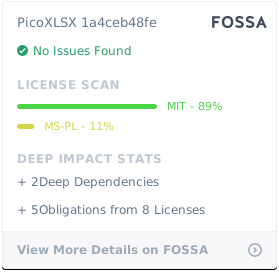
PicoXLSX is licensed under the MIT License. See the LICENSE file for more details.
This library claims to be free of any dependencies on proprietary software or libraries.