
A lightweight WoW addon that centers and enlarges the minimap for easier gathering routes.
Type /farm to toggle. Type /farm again to restore.
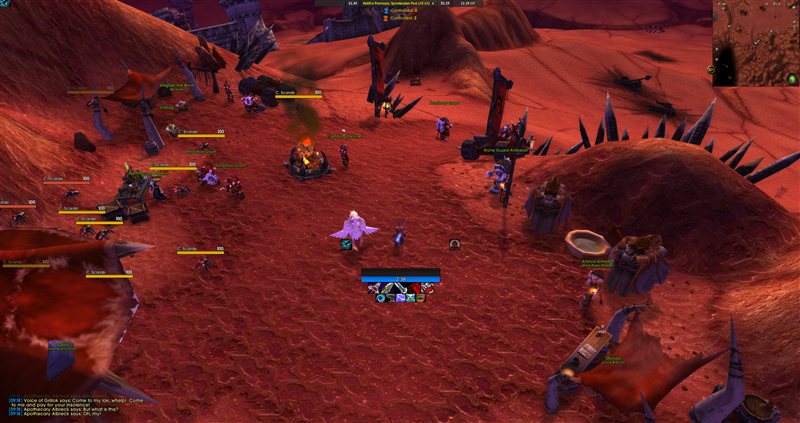
Farm Mode Off — default minimap position
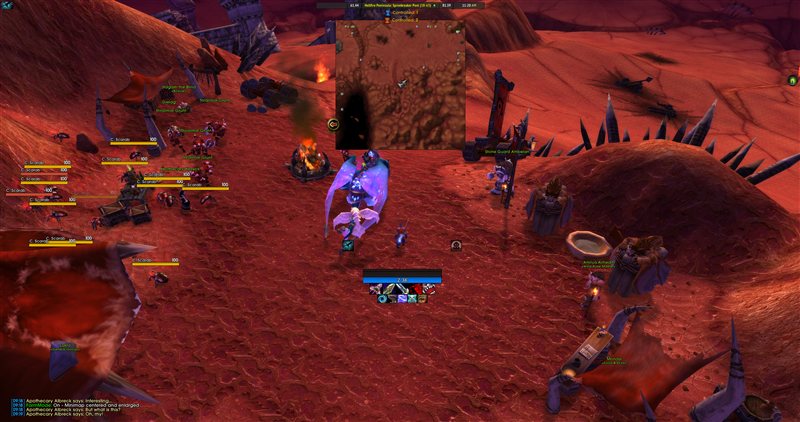
Farm Mode On — minimap centered and enlarged
Available on CurseForge and Wago.
Manual install: Download the latest release and extract the FarmMode folder into your Interface\AddOns\ directory.
/farm— Toggle farm mode on/off/farm config— Open settings panel
Open with /farm config or via Interface > AddOns > FarmMode.
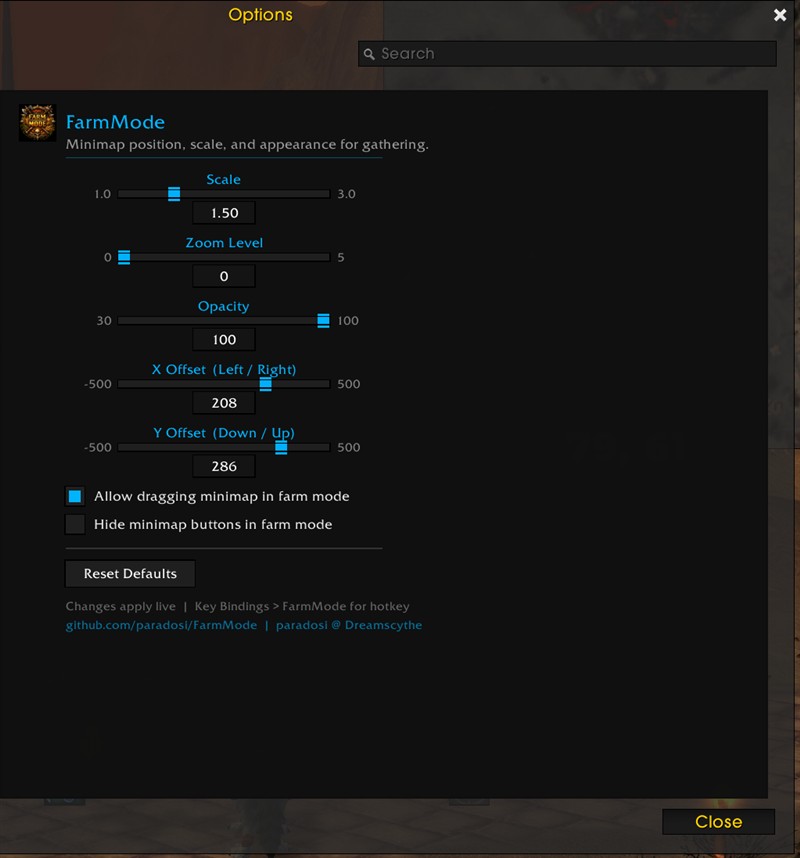
- Scale — Minimap size (1.0x to 3.0x)
- Zoom Level — Minimap zoom (0 = zoomed out, 5 = zoomed in)
- Opacity — Minimap transparency (30% to 100%)
- X / Y Offset — Position on screen
- Draggable — Left-click drag the minimap to reposition while in farm mode
- Hide Clutter — Hides minimap buttons (zoom, tracking, zone text) for a clean view
- Reset Defaults — Restore all settings to defaults
All sliders support mouse wheel input. Settings persist across sessions and apply live.
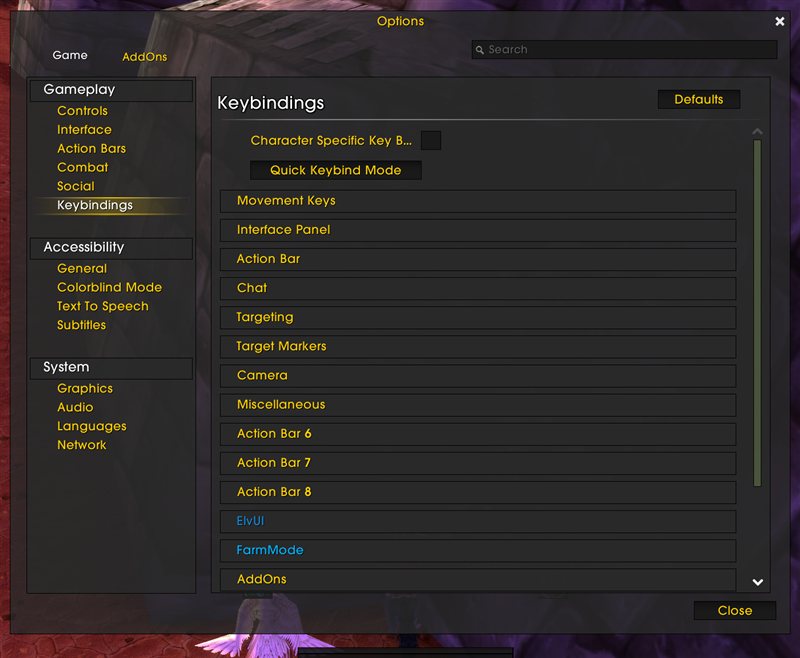
Bind a hotkey in Options > Keybindings > FarmMode to toggle without typing /farm.
- Saves and restores original minimap position (compatible with ElvUI, SexyMap, etc.)
- Combat lockdown protection — cannot toggle during combat
- Safe zoom handling with bounds checking
- Minimal memory footprint — single file, no libraries
| Client | Interface | Status |
|---|---|---|
| Classic Era | 11508 | ✅ Supported |
| TBC Classic Anniversary | 20505 | ✅ Supported |
| Retail / Mainline | 120001 | ✅ Supported |
- Multi-client support: Classic Era, TBC Anniversary, and Retail
- API compatibility fix for Classic Era
- Save/restore original minimap position on toggle
- Combat lockdown guard
- Safe zoom with pcall
- Version display in settings title
- Draggable minimap in farm mode
- Hide clutter toggle
- ElvUI-styled settings panel

