
This repository was inspired by a great presentation from Damian Edwards and David Fowler 2018, really great!
- [Youtube] https://www.youtube.com/watch?v=RYI0DHoIVaA
- [Source code] https://github.com/davidfowl/NdcLondon2018
A little bit outdated, but aged very well.
For Latest updates, scroll down to bottom.
- Threading - A Hello World Web API with 4 endpoints demonstrating different async patterns:
- Good old full synchronous execution: full-sync
- Modern app with legacy services: async-over-sync,
- Old app code using modern APIs: sync-over-async - kills IIS ☠
- Full async, shows unlimited web scale
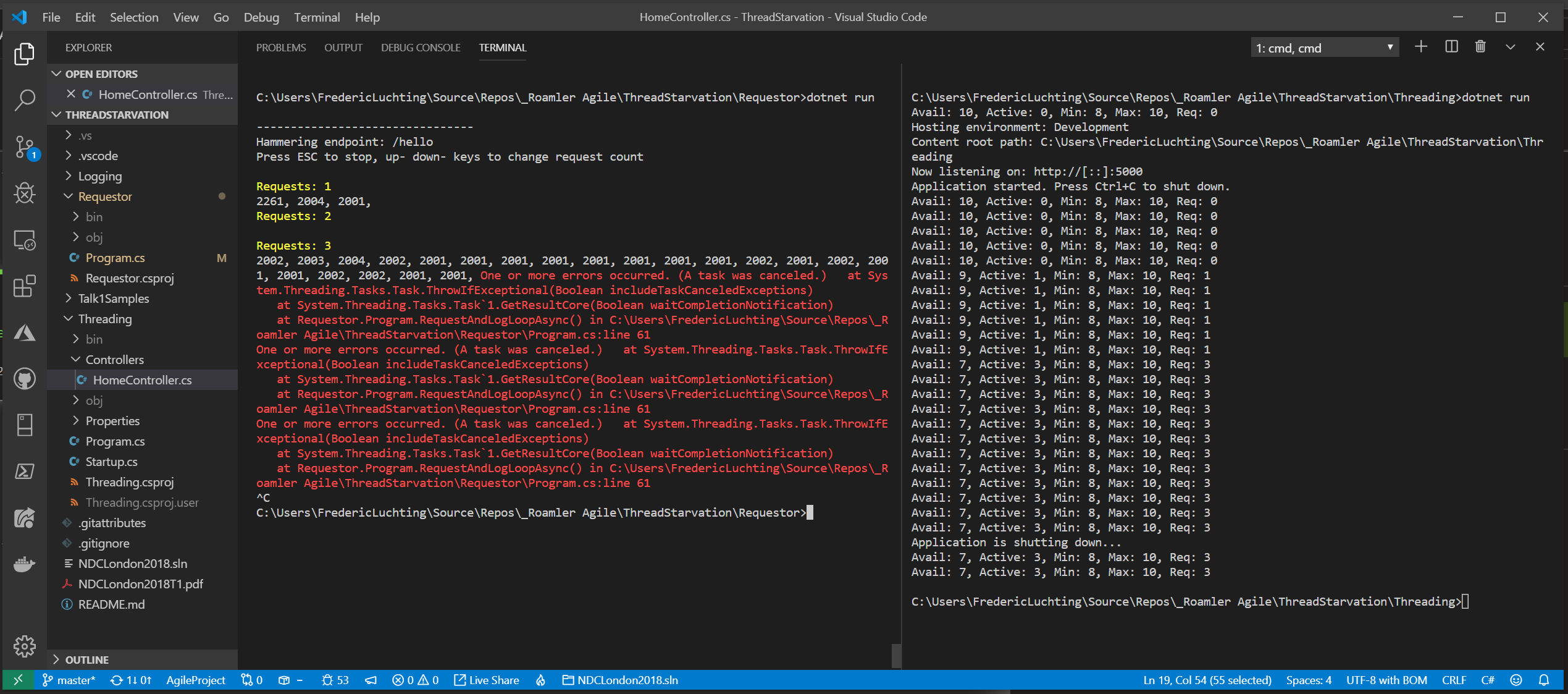
- Requestor - Load testing tool that hammers the Threading endpoints. You can arrow up/down to scale parallel requests
- Open the repository folder in VS Code
- Open terminal (CTRL+`), split in two
- Navigate to
~/Requestorin the left terminal - Navigate to
~/Threadingin the right terminal
- Start the server (right terminal):
dotnet run- Displays available threads and handled requests in real-time
- Run load test (left terminal):
dotnet run <method name>- Use arrow ⬆/⬇ keys to increase/decrease parallel request load
| Command | Pattern | Result |
|---|---|---|
dotnet run full-sync |
Traditional synchronous execution | ✅ Works but limited scalability |
dotnet run async-over-sync |
Modern async controller calling legacy sync services | |
dotnet run sync-over-async |
Legacy sync code calling modern async APIs | ☠️ DANGER: Thread pool starvation! |
dotnet run full-async |
Full async/await throughout the stack | 🚀 Unlimited scalability! |
⚠️ Warning: Thesync-over-asyncendpoint demonstrates thread pool starvation and can deadlock the server. You may need to forcefully kill the terminal to recover. Or cold reboot of a machine.
- Never block on async code - Using
.Wait()or.Resulton Tasks leads to thread pool starvation - Async all the way - If you have async APIs, use them asynchronously throughout the entire call stack
- Thread pool threads are precious - Don't waste them waiting synchronously for I/O operations
- Async-over-sync is acceptable - When you must call legacy synchronous code from modern async APIs
- Monitor your thread pool - Use
ThreadPool.GetAvailableThreads()to detect starvation issues early
This demo clearly shows the performance impact of different async patterns and why proper async/await usage is critical for scalable web applications.
- Bump to dotnet 10.0
- Fix MaxThread setting for modern machines
- Also runs in GitHub Codespaces and Devcontainers (!!!)
- Generate diagram and comic strip with AI
See Threading Patterns Comparison for detailed flowcharts and a quick comparison of each async/await pattern.
All mermaid code is copilot generated, but I reviewed it manually, and looks perfect.
These diagrams visually explain thread usage, scalability, and the risks of thread starvation.
Legacy sync code calling modern async APIs - Task.Delay().Wait()
flowchart LR
    A[Request Arrives] --> B[Sync Method]
    B --> C[Task.Delay 2s]
    C --> D[.Wait blocks thread<br/>🔴 BLOCKED]
    D --> E[Continuation needs<br/>ANOTHER thread]
    E --> F[💀 STARVATION]
Result: ☠️ DANGER - Thread pool exhaustion! Original thread blocked waiting, continuation needs another thread to resume. With limited threads, all get blocked waiting for each other = deadlock.
I asked ChatGpt before to create the mermaid diagrams but was all crap, copilot could fix it.
But I also asked ChatGpt to create a comic strip. All just based on one-shot prompt and readme and source code.
