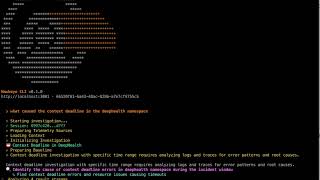
Command-line client for the Neubird Hawkeye AI SRE platform. Run AI-powered incident investigations, stream chain-of-thought reasoning, and review session results — all from your terminal.
Golang:
go install github.com/neubirdai/hawkeye-cli@latest'
macOS:
brew tap neubirdai/hawkeye
brew install neubird-hawkeye
Running from Go without install:
alias hawkeye='go run github.com/neubirdai/hawkeye-cli@latest'Docker
docker run --rm -it neubirdai/hawkeye-cliDocker with settings in a volume
docker run --rm -it -v ...:/root/.hawkeye neubirdai/hawkeye-cli
Snap
snap install hawkeye-cli# Login
hawkeye login https://your-hawkeye.app.neubird.ai -u you@company.com -p 'your-password'
# List projects and set active project
hawkeye projects
hawkeye set project <your-project-uuid>
# Run an AI-powered investigation
hawkeye ask "Why is the API returning 500 errors?"
# Continue in an existing session
hawkeye ask "Check DB connections" -s <session-uuid>
# Browse and filter sessions
hawkeye sessions
hawkeye sessions --uninvestigated
hawkeye sessions --status investigated --from 2025-01-01
# View session details
hawkeye inspect <session-uuid>
hawkeye summary <session-uuid>
hawkeye score <session-uuid>
hawkeye link <session-uuid>
# Org-wide analytics
hawkeye report
# Data source connections
hawkeye connections
hawkeye connections resources <connection-uuid>
# Interactive mode (default when no command given)
hawkeyeUse named profiles to manage multiple environments:
hawkeye --profile staging login https://staging.app.neubird.ai -u user@co.com -p pass
hawkeye --profile staging sessions
hawkeye profiles   # list all profiles