Netuno Platform: Get Started
To install, follow the Get Started.
Quickly build applications adapted to your business logic.
In here you can find the source of all the Netuno core capabilities, such as the CLI and the Web Server.
Join Netuno’s Discord for help and to know more, you are welcome.
You can follow to not lose the news, tips, and tutorials:
Netuno.org is the official website.
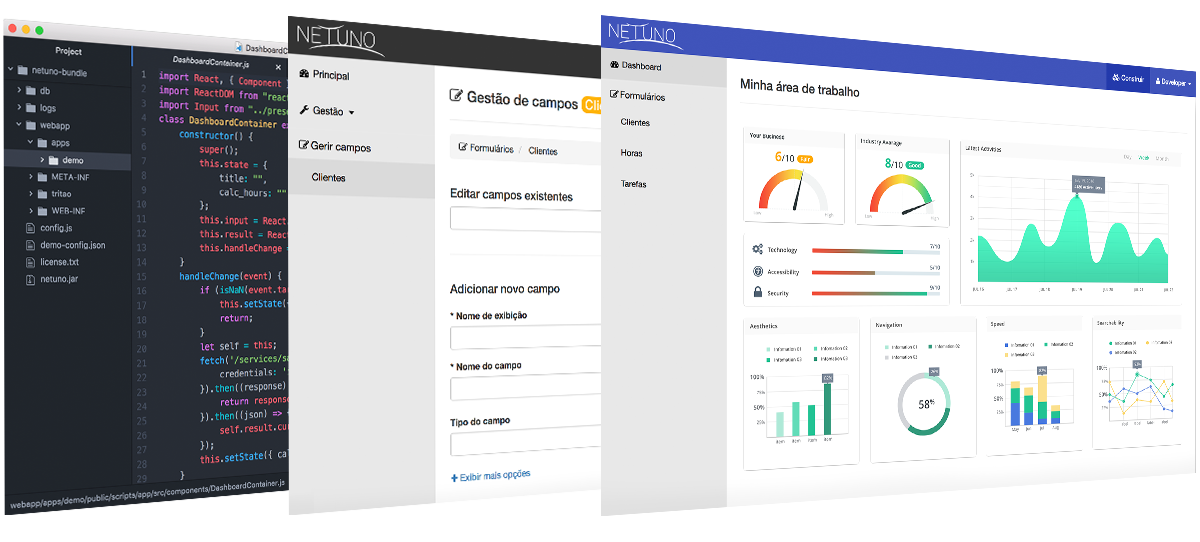
Find more in netuno.org
Get Started · First Steps · Polyglot
Documentation highlights:
REST · OpenAPI · Cron Jobs · Monitor & Alerts
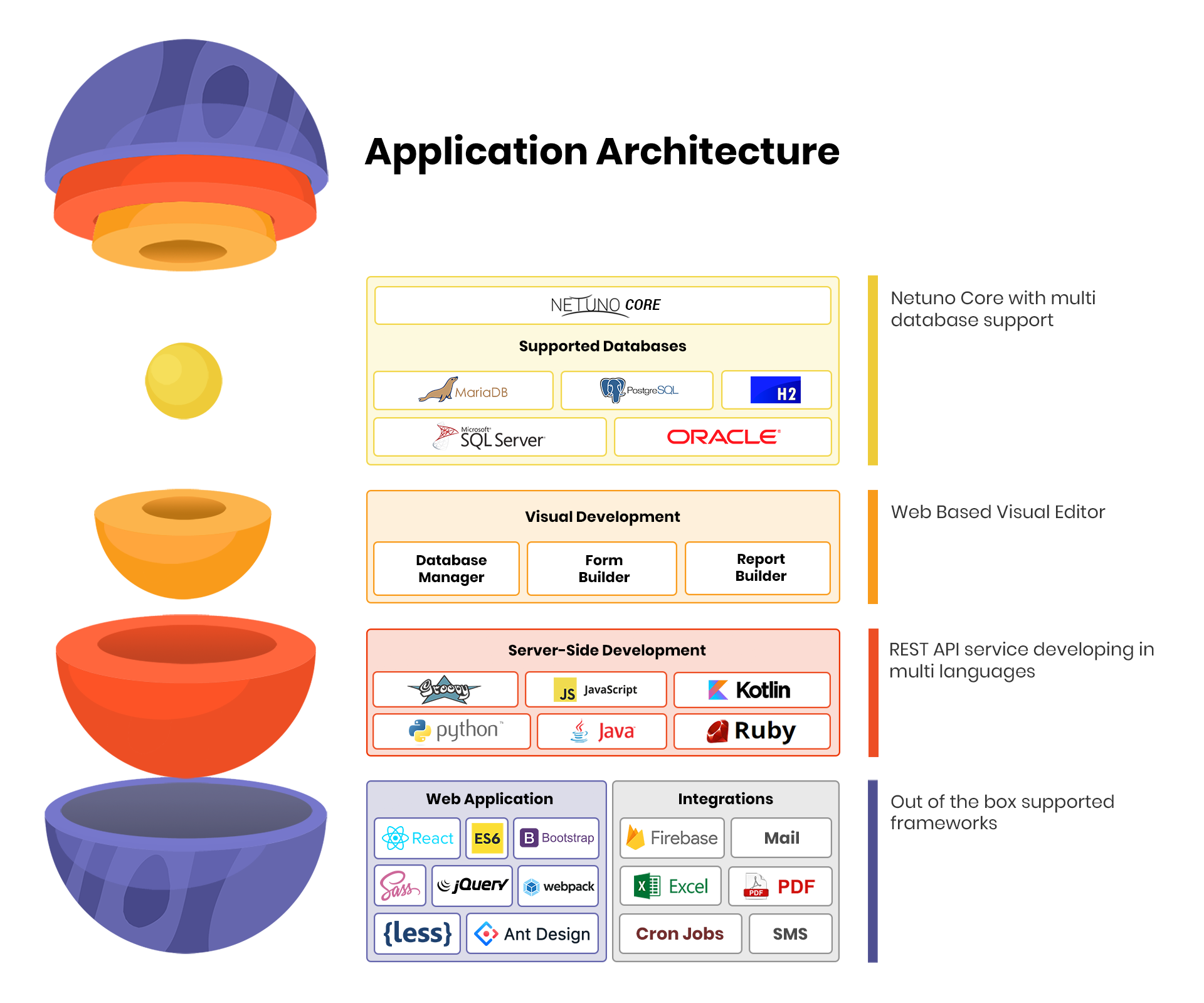
Netuno is written in Java and runs in GraalVM to facilitate web application development, it currently suppports the following programming languages:
😎 While you are programming you won't need to restart the server to compile the newly updated code.
All log outputs such as server-side, client-side (NPM
run watch) and other outputs are integrated in the same console. By having this feature you'll only need to look to one console thus easing your work.
- Linux, macOS, and Windows;
- Maven
- NodeJS
- Java 25
To install the Netuno Platform, please follow the:
➡️ Get Started
Continue with the steps below if you want to compile from scratch and change the Netuno Platform, then start cloning this repository.
Make sure to use the GraalVM JDK as your Java environment:
Allow permission to execute:
$ chmod +x setup.shRun the setup script:
$ ./setup.shYou need to run PowerShell as an administrator, then follow the steps.
$ .\setup.ps1After running the script in PowerShell as an administrator, it will verify if all dependencies are installed. If there are dependencies to be installed, it will prompt to ask if you want to install them.
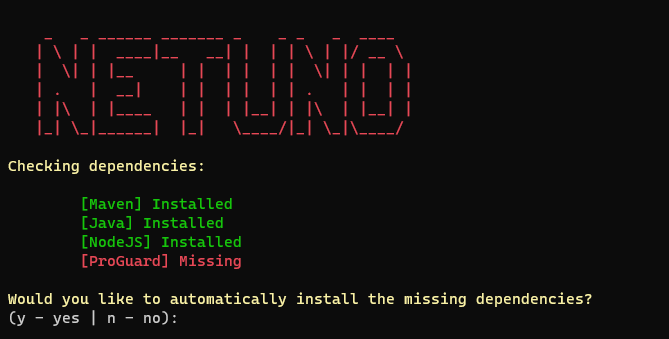
Depending on the dependencies, it will ask if you allow restarting the computer, as this is necessary to proceed.
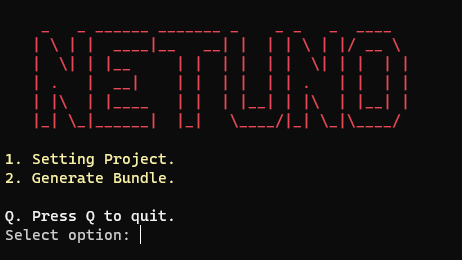
After installation and following the steps indicated by the script, run option 1 to configure the project and option 2 to generate a bundle.
If you see the error:
java.lang.NoClassDefFoundError: io/github/classgraph/ClassGraph
It means the ClassGraph library is missing.
-
Download the library
Get the.jarfile from:
👉 ClassGraph on Maven Repository -
Install the library
Place the downloaded.jarin:
.\bundle\base\web\WEB-INF\lib
It is mandatory to generate the bundle files because, in the process, the bundle/base/core/web/WEB-INF/lib will be loaded with all Java web dependencies, and it is necessary to run the source code locally.
$ cd bundle $ ./publish.ps1 $ cd bundle $ ./publish.shThe published Netuno version will be generated in bundle/dist/netuno*, which is based on the final output generated in bundle/out/netuno.
The build script executes the Maven phases: clean and package.
$ ./build.ps1 $ ./build.shLook at how to run directly with Maven.
Short server initialization:
mvn test -Pcli-server -Dapp=demo -Drevision=DEV -Dmaven.test.skip=trueFull arguments:
mvn test -Pcli -Dexec.args="server app=demo home=bundle/base" -Drevision=DEV -Dmaven.test.skip=trueYour apps in a relative path:
mvn test -Pcli -Dexec.args="server app=demo home=bundle/base apps=../../netuno/apps" -Drevision=DEV -Dmaven.test.skip=trueYour apps in an absolute path:
mvn test -Pcli -Drevision=DEV -Dexec.args="server app=demo home=bundle/base apps=/srv/netuno/apps"Remember to change app=demo to your app name.
How to configure the source code to run in a Java IDE: