Project under revision: you can find the TFG delivery here
- Python 3.6
- ROS Melodic
- OpenCV 4
- CUDA 10.0
- TensorRT 6.0.1
Deep Learning Applications for Robotics using TensorFlow and JdeRobot
- You will need to install JdeRobot for this component to work (preferably from source), following the installation guide.
- All the necessary Python packages have been annotated for
pipto install them automatically. To do so, run:pip2 install -r requirements.txt - (Recommended) Install TensorFlow from sources (much more efficient than the generic version installed above via
pip). If you are equipped with an Nvidia GPU, use it, as it is way faster than the CPU version. - Install the required ROS packages, to handle the cameras information.
- PTZ:
sudo apt install ros-kinetic-usb-cam - Turtlebot2:
sudo apt install ros-kinetic-openni2_launch ros-kinetic-kobuki-node
- PTZ:
For PTZ camera:
Make sure that you execute sudo chmod 666 /dev/ttyUSB0 when you connect the PT motors (EVI connector) to your computer (evicam_driver needs this to be this way, otherwise it will raise an EBADF error when trying to access the device).
Also, check which of your computer video devices corresponds to the PT camera interface. You can perform this launching ls /dev. You will see the devices related to your computer. /dev/video0 is tipically your laptop webcam (or default camera). The PT camera will correspond to the next device, which can stand for /dev/video1, /dev/video2, etc. This is due to the order of the USB connections. You will have to change the value of the resources/usb_cam-test.launch file to match to this device no (line 2):
<param name="video_device" value="/dev/your_video_device" />
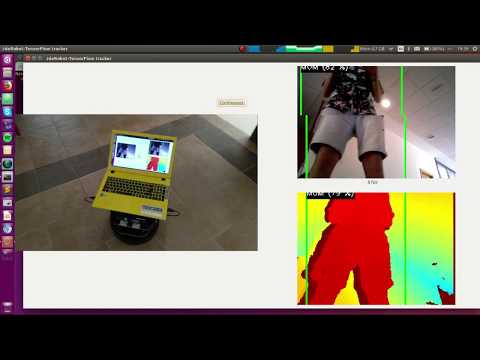
Application capable of implementing a robotic behavioral to follow a determined person (mom), commanding movements to a robot (Turtlebot2) or a PTZ Camera (Sony EVI D100P). It uses Deep Learning to do so: a detection CNN (SSD Architecture), plus a face reidentification CNN (FaceNet architecture), both of them implemented on TensorFlow.
The implementation (network models and mom image) can be customized using the YML file (turtlebot.yml or ptz.yml)
Functional video:
0. Tune your execution
-
Object Detection model: you can download a pre-trained network model from the TensorFlow Detection Model Zoo. Choose among those which output boxes (not regions). Just download the .zip and keep the
.pbfile (which contains the frozen graph structure and weights). Place it into theNet/TensorFlowdirectory, and indicate its name in the suitable YML file (in theFollowPerson.Network.Modelnode). In addition, you will have to indicate in theFollowPerson.Network.Datasetnode which was the training dataset of that model (you can check it in the Model Zoo page). -
FaceNet model: you can download a TensorFlow model from this FaceNet implementation. Extract the .zip file and place the
.pbfile inside theNet/TensorFlowdirectory. Indicate the file name in the YML configuration file you wish to use (depending on the device), in theFollowPerson..Network.SiameseModelnode. -
Mom: place a picture of the person which will be mom during the execution in the
mom_imgdirectory. Write its path (prepending the directory name) in your YML file (FollowPerson.Mom.ImagePathnode).
1. Deploy a ROS master
roscore
2. Connect the computer to the camera stream
Turtlebot2:
roslaunch openni2_launch openni2.launch
Sony EVI D100P (modify previously the resources/usb_cam-test.launch as indicated above):
roslaunch usb_cam resources/usb_cam-test.launch
3. Launch the actuators drivers
Turtlebot2:
roslaunch kobuki_node minimal.launch
Sony EVI D100P (provide r/w permissions to /dev/ttyUSB0, as mentioned above):
evicam_driver evicam_driver.cfg
4. Launch the application
Turtlebot2:
python2 followperson.py turtlebot.yml
Sony EVI D100P:
python2 followperson.py ptz.yml
(give it a time to build and load the network instance from the files.)
Example video:
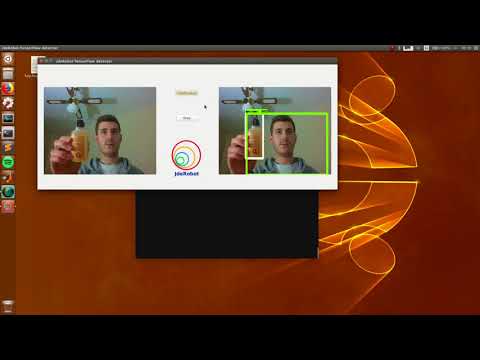
This tool was ported to its own repository (available here)
Example video:
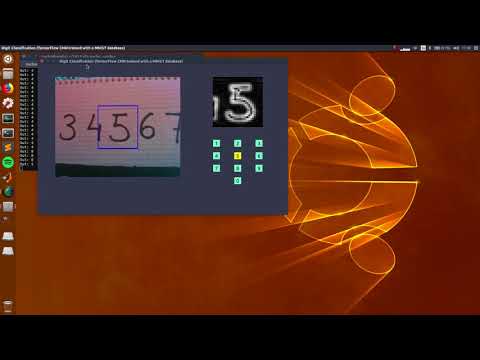
This tool was ported to its own repository (available here)
Feel free to contact me for further information.