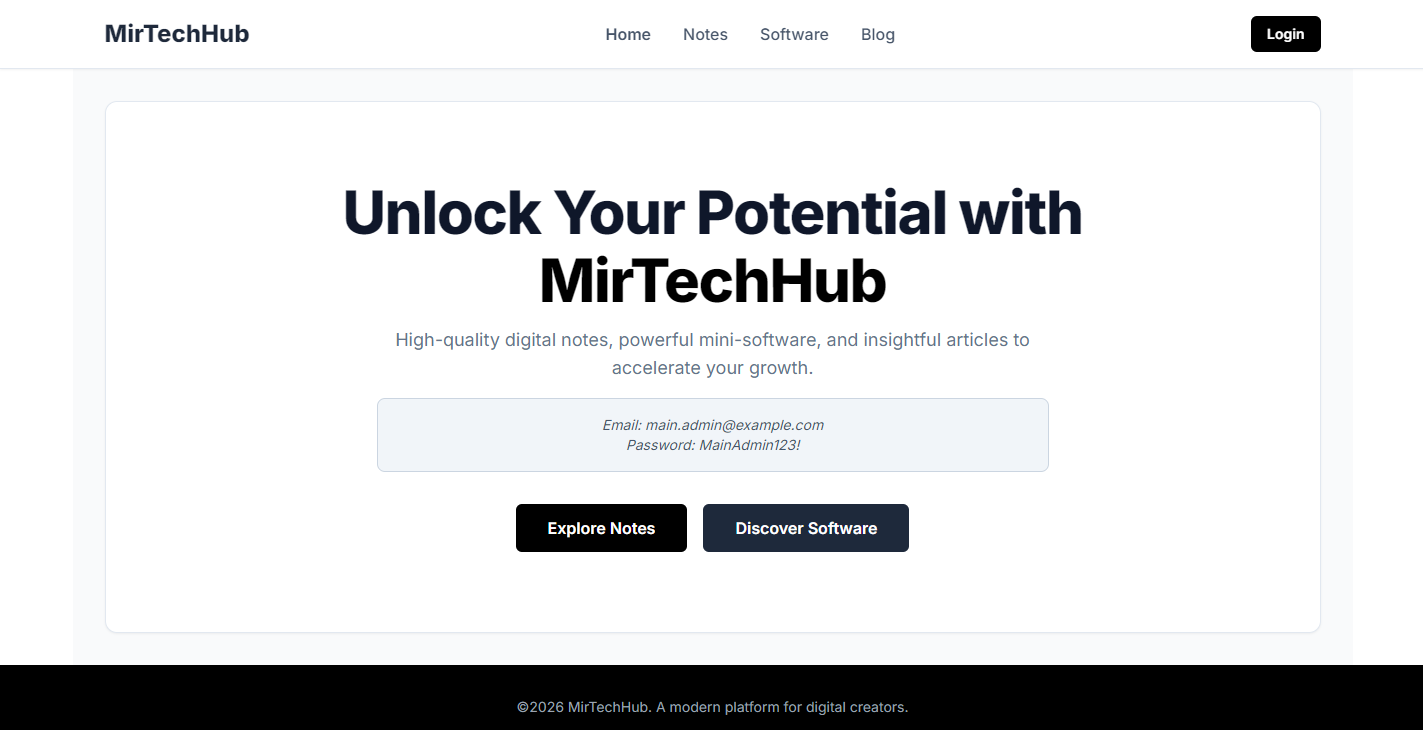
MirTechHub is a modern, full-stack e-commerce platform designed for digital creators to sell products like study notes, mini-software, and publish insightful blog content. It features a clean, responsive user interface and a powerful, secure admin dashboard for complete content and site management.




The platform is split into two main experiences: the public-facing user storefront and the secure admin dashboard.
- Product Browsing: Explore digital notes and software with search and pagination.
- Shopping Cart: A seamless, client-side cart experience.
- User Authentication: Secure registration and login using JWT.
- Order Management: Users can view their order history and status.
- Blog Platform: Read articles, view details, and engage in discussions.
- Reviews & Comments: Leave ratings and comments on products and blog posts, including nested replies.
- Responsive Design: Fully accessible and beautifully designed for all screen sizes, from mobile to desktop.
- Dynamic Content: Pages like Notes, Software, and Blog can be toggled on/off by the admin in real-time.
- Secure Dashboard: Role-protected admin area for managing the entire platform.
- Full CRUD Operations: Create, Read, Update, and Delete Notes, Software, and Blog Posts using a rich text (Quill) editor.
- Order Management: View all user orders, and update their status (e.g., Pending, Processing, Completed).
- Review Moderation: Manage all user-submitted reviews and comments, with options to toggle visibility or delete them.
- Site Configuration: A unique settings panel allows admins to dynamically show or hide entire sections of the site (e.g., disable the Blog page) without touching any code.
- Featured Content: Mark any product or blog post as "featured" to highlight it on the homepage.
MirTechHub – Full-Stack E-Commerce Platform
📄 MirTechHub – Full-Stack E-Commerce Platform (PDF)
This project is built with a modern, robust technology stack chosen for performance, scalability, and developer experience.
- Framework: Angular 19 (Standalone Components, Signals, Zoneless)
- Styling: Tailwind CSS
- State Management: Angular Signals for reactive and performant state.
- Rich Text Editing: Quill.js for a powerful WYSIWYG editor.
- Framework: .NET 9 / ASP.NET Core Web API
- Database: Entity Framework Core with SQL Server (uses LocalDB by default).
- Authentication: JWT (JSON Web Tokens) with ASP.NET Core Identity.
- Architecture: Follows a clean, repository pattern for data access.
Follow these instructions to get the project up and running on your local machine.
- .NET SDK
- Node.js and npm
- SQL Server: SQL Server Express LocalDB is recommended, as it is pre-configured in
appsettings.json. It typically comes with Visual Studio.
The backend API handles all data, authentication, and business logic.
# 1. Navigate to the API directory
cd api

# 2. Restore dependencies
dotnet restore

# 3. Run the application
dotnet run
The API will start on https://localhost:5001. The first time you run it, Entity Framework Core will automatically create and seed the database based on the DbInitializer configuration.
The frontend is a standalone Angular application built with Vite.
# 1. In a new terminal, navigate to the project root
# (if you are in the `api` directory, run `cd ..`)

# 2. Install npm dependencies
npm install

# 3. Start the development server
npm start
Your browser should automatically open to http://localhost:5173, and the application will be running. The Vite development server is pre-configured to proxy all /api requests to your backend at https://localhost:5001.
The backend is configured to automatically create two admin users when it first starts up. You can find their credentials in api/appsettings.json.
- Email:
main.admin@example.com, Password:MainAdmin123! - Email:
backup.admin@example.com, Password:BackupAdmin123!
You can change these credentials or add more admin users in this file before running the API for the first time.
Mir Mumtaz Ali - mirmumtazali7278@gmail.com