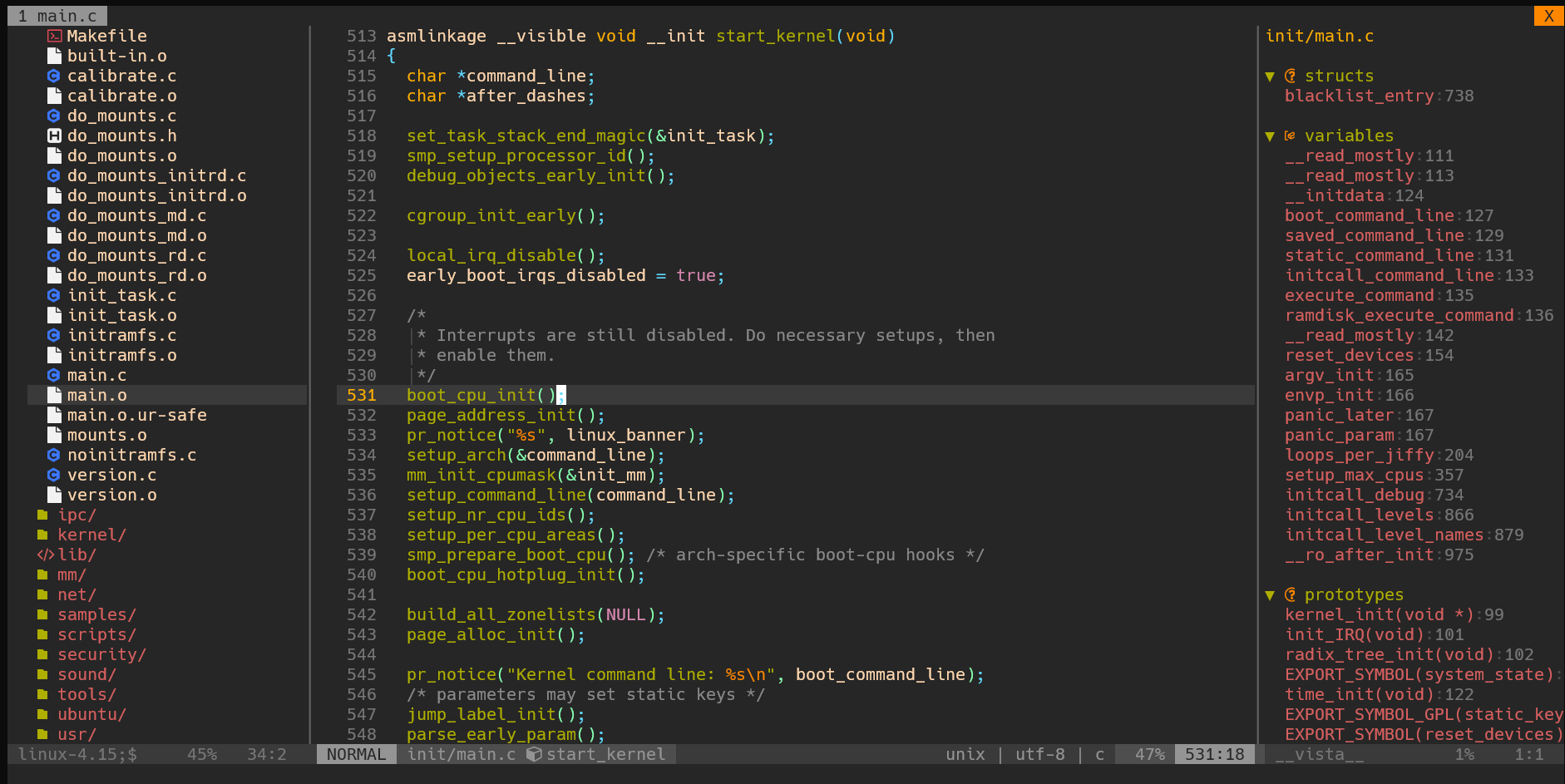
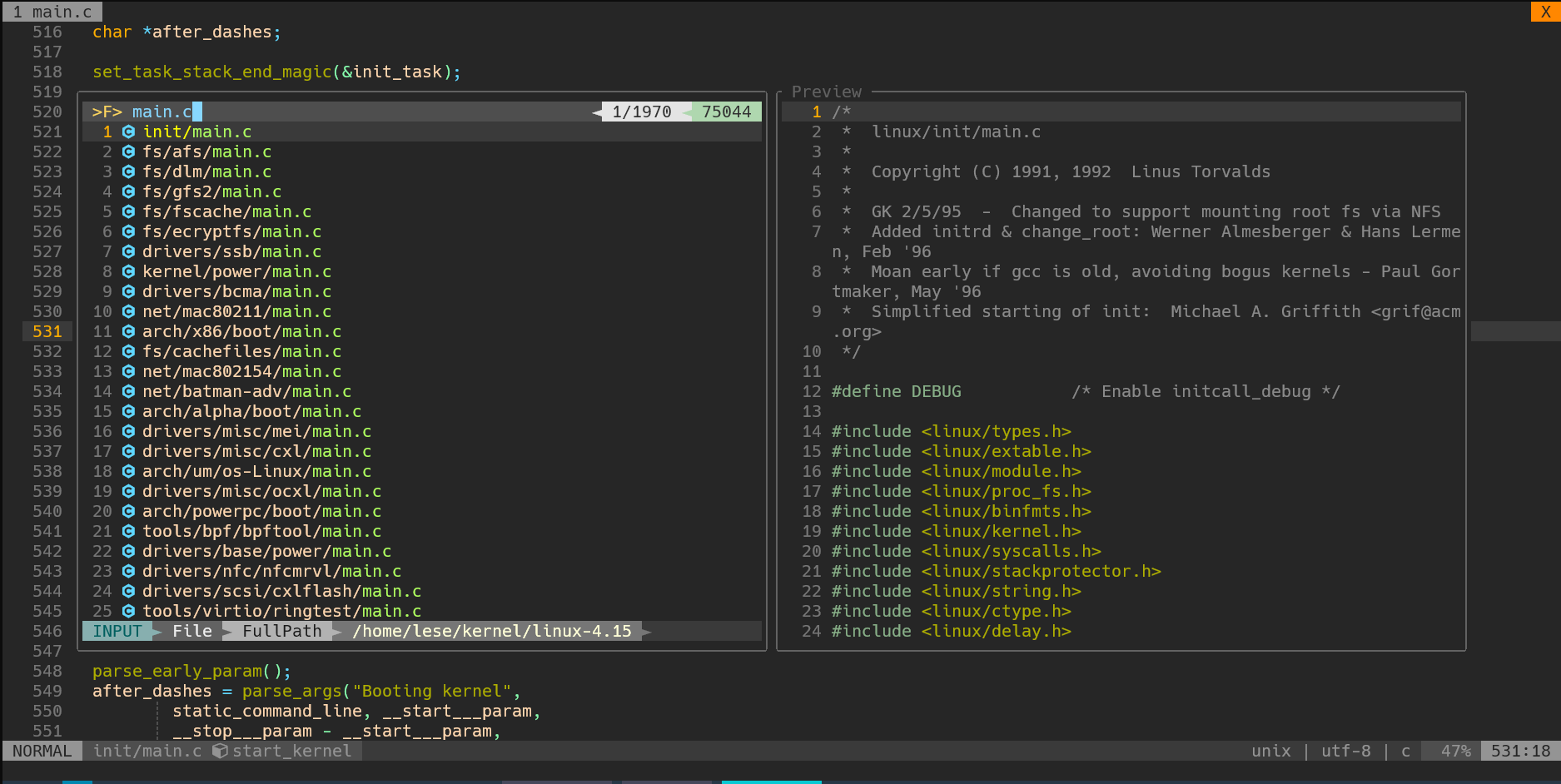
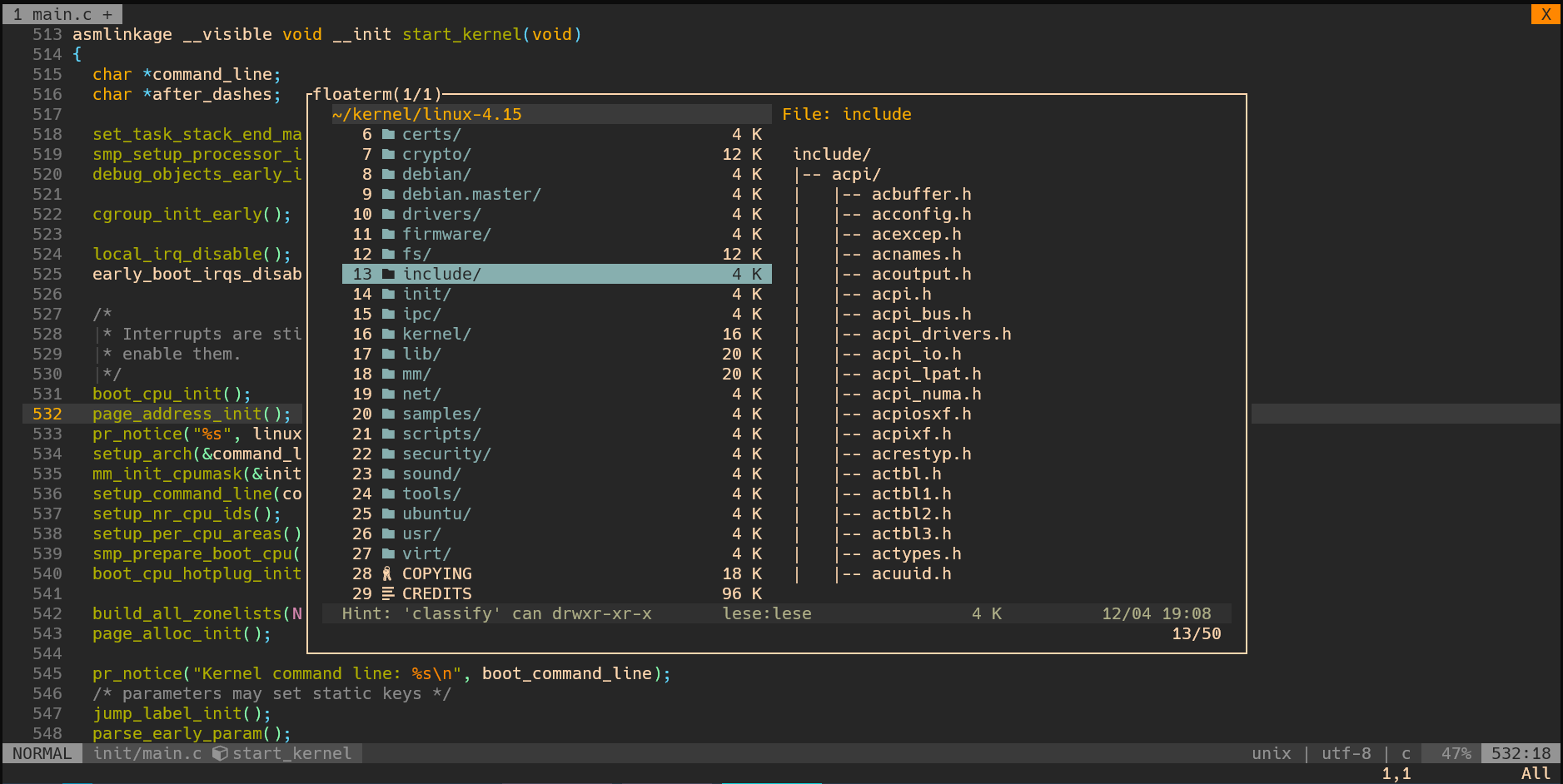
This is my vim configuration
- Vim with
terminal feature
- Vim with
python feature
- Vim with
clipboard feature, vim-gtk3 package is required (optional)
- Nerd Fonts (for vim icons)
cd ~
git clone git@github.com:Lesords/vim-config.git ~/.vim --depth 1 --recurse-submodules --shallow-submodules
# Or
git clone https://github.com/Lesords/vim-config.git ~/.vim --depth 1 --recurse-submodules --shallow-submodules
Or
cd ~
git clone git@github.com:Lesords/vim-config.git ~/.vim --depth=1
# Or
git clone https://github.com/Lesords/vim-config.git ~/.vim --depth=1

git submodule update --init --recursive --depth 1
Note: To use these configuration files in GVim, you need to add the following to the _vimrc file
set runtimepath+=$HOME/.vim
source $HOME/.vim/vimrc
| Mode |
Shortcut Keys |
Action |
| Normal |
Alt + h |
Go to left window |
| Normal |
Alt + j |
Go to downer window |
| Normal |
Alt + k |
Go to upper window |
| Normal |
Alt + l |
Go to right window |
| Visual |
Alt + h |
Go to left window |
| Visual |
Alt + j |
Go to downer window |
| Visual |
Alt + k |
Go to upper window |
| Visual |
Alt + l |
Go to right window |
| Terminal |
Alt + h |
Go to left window |
| Terminal |
Alt + j |
Go to downer window |
| Terminal |
Alt + k |
Go to upper window |
| Terminal |
Alt + l |
Go to right window |
| Terminal |
Alt + n |
Enter terminal's normal mode |
| Normal |
gp |
Return to the previous file |
| Normal |
Ctrl + s |
Save file |
| Normal |
Ctrl + q |
Quit |
| Normal |
Alt + s |
Save file |
| Normal |
Alt + q |
Quit |
| Normal |
Backspace |
Switch to the next tab |
| Normal |
Alt + BS |
Switch to the previous tab |
| Normal |
T |
New Tab |
| Normal |
,m |
Toggle full screen |
| Normal |
,* |
Count the number of occurrences of the current field |
| Normal |
,c |
Toggle conceal level |
| Normal |
Alt + t |
Return to the original path |
| Normal |
Alt + i |
Switch line style |
| Normal |
,i |
Switch indent size |
| Normal |
,t |
Switch between tab and space |
| Normal |
,lg |
Open lazygit |
| Normal |
Alt + m |
Open Fern |
| Normal |
Alt + p |
Open UndoTree |
| Normal |
Alt + n |
Open Vista |
| Insert |
Ctrl + a |
Jump to the beginning of the line |
| Insert |
Ctrl + e |
Jump to the end of the line |
| Insert |
Alt + f |
Jump to the previous word |
| Insert |
Alt + b |
Jump to the next word |
Linux with KDE
| Mode |
Shortcut Keys |
Action |
| Normal |
,o |
Open the current file with dolphin |
| Normal |
,e |
Open the current path with dolphin |
Git Bash only
| Mode |
Shortcut Keys |
Action |
| Normal |
,o |
Open the current file with the system default tool |
| Normal |
,e |
Open the current path with a file manager |
GVim only
| Mode |
Shortcut Keys |
Action |
| Visual |
,y |
Copy content to the system clipboard |
| Normal |
,p |
Paste content from the system clipboard |
| Shortcut Keys |
Action |
| o |
Toggle Folder |
| h |
Close Folder |
| l |
Expand folder (open file) |
| ! |
Show (disable) hidden files |
| N |
create a new file |
| t |
Open in a new tab |
| T |
Open in a new tab (background) |
| i |
Open the file in the upper window |
| gi |
Open the file in the upper window (background) |
| s |
Open the file in the left window |
| gs |
Open the file in the left window (background) |
| < |
Go to the previous directory |
| > |
Enter the current directory |
| BackSpace |
Go to the previous directory |
| Enter |
Enter the current directory |
| r |
Reload the file |
| cd |
Modify the current path |
| Shortcut Keys |
Action |
| + |
expand the visual selection |
| - |
shrink the visual selection |
| Shortcut Keys |
Action |
| s |
Position jump (two characters) |
| ,/ |
Location jump (text search) |
| ,j |
Jump up |
| ,k |
Jump down |
| Mode |
Shortcut Keys |
Action |
| Normal |
Ctrl + n |
Start selecting the (next) text |
| Normal |
Ctrl + Up |
Create cursor upwards |
| Normal |
Ctrl + Down |
Create cursor downwards |
| Normal |
i, a, I, A |
Start insert mode |
| Visual-Multi |
Ctrl + j |
Exit Visual Multi Mode |
| Visual-Multi |
Tab |
Switch between 'cursor' and 'extend' mode |
| Visual-Multi |
s |
Enter select mode |
| Visual-Multi |
n |
find next (same as C-n) |
| Visual-Multi |
N |
find previous |
| Visual-Multi |
] |
goto next |
| Visual-Multi |
[ |
goto previous |
| Visual-Multi |
q |
skip and go to next |
| Visual-Multi |
Q |
remove region |
Tips:
si(: select inside ()st;: select to the next ;g/<string>: go to <string>
| Mode |
Shortcut Keys |
Action |
| Normal |
,s |
Toggle Obsession |
| Mode |
Shortcut Keys |
Action |
| Normal |
Alt + d |
Toggle Signify |
| Normal |
,gd |
Create a new tab to compare changes |
| Normal |
,gp |
Use a float window to compare changes |
| Normal |
,gu |
Restore the contents of the current line |
| Normal |
,gj |
Jump to the last modified location |
| Normal |
,gk |
Jump to the next modified position |
| Operation |
ic |
Cover modification range |
| Operation |
ac |
Cover modification range |
| Visual |
ic |
Cover modification range |
| Visual |
ac |
Cover modification range |
| Mode |
Shortcut Keys |
Action |
| Normal |
,[ |
Toggle Context Window |
| Mode |
Shortcut Keys |
Action |
| Normal |
,a= |
Align text according to = |
| Normal |
,a: |
Align text according to : |
| Visual |
,a= |
Align text according to = |
| Visual |
,a: |
Align text according to : |
| Mode |
Shortcut Keys |
Action |
| Normal |
,ff |
Search for files |
| Normal |
,fb |
Search Cache |
| Normal |
,fm |
Search History |
| Normal |
,fw |
Search Window |
| Normal |
,fl |
Search Line |
| Normal |
,fa |
Search the current field(In all caches) |
| Normal |
,fc |
Search the current field(c/cpp related files only) |
| Normal |
,fs |
Search (input required) |
| Normal |
,gh |
Search the current file |
| Normal |
Alt + f |
Search the current field |
| Visual |
gf |
Search the current field |
| Visual |
gp |
Search the current file |
| Normal |
go |
Execute the last search operation again |
| Normal |
,fg |
Generate gtag files |
| Normal |
,fr |
Jump to reference |
| Normal |
,fd |
Jump to definition |
| Normal |
,fo |
Execute the jump operation again |
| Normal |
,fn |
Jump to the next matching result |
| Normal |
,fp |
Jump to the previous matching result |
| Mode |
Shortcut Keys |
Action |
| Normal |
Alt + o |
Open Floaterm |
| Terminal |
Alt + o |
Open Floaterm |
| Terminal |
,f+ |
Maximize window size |
| Terminal |
,f- |
Restore default window size |
| Normal |
F7 |
Create a new terminal |
| Terminal |
F7 |
Create a new terminal |
| Normal |
F8 |
Switch to the previous terminal |
| Terminal |
F8 |
Switch to the previous terminal |
| Normal |
F9 |
Switch to the next terminal |
| Terminal |
F9 |
Switch to the next terminal |
| Normal |
F10 |
Create a new terminal(split) |
| Terminal |
F10 |
Create a new terminal(split) |
| Mode |
Shortcut Keys |
Action |
| Normal |
gd |
lsp definition |
| Normal |
gt |
lsp type definition |
| Normal |
gi |
lsp implementation |
| Normal |
gr |
lsp references |
| Normal |
gs |
lsp document symbol search |
| Normal |
gS |
lsp workspace symbol search |
| Normal |
,rn |
lsp rename |
| Normal |
[g |
lsp previous diagnostic |
| Normal |
g] |
lsp next diagnostic |
| Normal |
K |
lsp hover |
| Normal |
Ctrl + d |
lsp scroll down |
| Normal |
Ctrl + u |
lsp scroll up |
| Mode |
Shortcut Keys |
Action |
| Normal |
,cf |
Format all code |
| Visual |
,cf |
Format the currently selected code |
| Mode |
Shortcut Keys |
Action |
| Normal |
Alt + J |
Move code down |
| Normal |
Alt + K |
Move code up |
| INSERT |
Alt + J |
Move code down |
| INSERT |
Alt + K |
Move code up |
| Visual |
Alt + J |
Move code down |
| Visual |
Alt + K |
Move code up |
| Mode |
Shortcut Keys |
Action |
| Normal |
Space + ff |
Search for files |
| Normal |
Space + fs |
Search (rg) |
| Mode |
Shortcut Keys |
Action |
| Normal |
Space + fz |
Search for files |
| Normal |
Space + fl |
Search Line |
| Mode |
Shortcut Keys |
Action |
| Normal |
Space + cc |
Open Copiloat Chat |
| Command |
Action |
| ds{char} |
delete surrounding {char} |
| cs{old_char}{new_char} |
change surrounding {old_char} to {new_char} |
| ys{motion}{char} |
surround {motion} with {char} |
| v{motion}S{char} |
surround with {char} |
aliases:
- b, B, r, and a are aliases for ), }, ], and >
- t is a pair of HTML or XML tags
- t is a pair of HTML or XML tags
- w, W, and s correspond to a |word|, a |WORD|, and a |sentence|
- A p represents a |paragraph|
- If f is used, the text is wrapped with () parentheses; F adds additional spaces inside the parentheses. inserts the
function name inside the parentheses
example:
ds": change "hello world" to hello worlddst: change <div>hello world</div> to hello worldcs"<div>: change "hello world" to <div>hello world</div>cst<p>: change <div>hello world</div> to <p>hello world</p>cs"): change "hello world" to (hello world)cs"(: change "hello world" to ( hello world )ysi"(: change "hello world" to "( hello world )"ysiw): change "hello world" to "(hello) world"ysiwb: change "hello world" to "(hello) world"yssr: change the line "hello world" to ["hello world"]ysWfprint<cr>: chaneg "hello" to print("hello")yssFprint<cr>: chaneg "hello world" to print( "hello world" )ysW<C-f>print<cr>: chaneg "hello" to (print "hello")veeSr: change the line hello world to [hello world]